
Glossaries
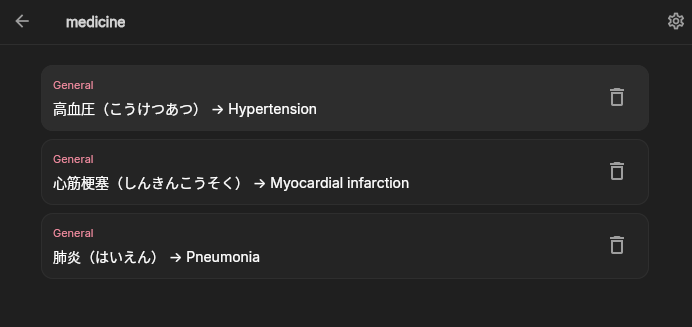
What a glossary does
Section titled “What a glossary does”A glossary gives the translation model preferred target translations for names, places, organizations, skills, and recurring expressions.
A glossary can also mark terms that should never be translated, such as brand names, as well as words that should never appear in the translation.
It is context for the model, not a guaranteed string-replacement engine. Important terms should still be reviewed in the resulting translation.
Create a glossary
Section titled “Create a glossary”- Open Settings → Glossaries.
- Create a glossary and name it.
- Add source and target terms.
- Save each entry.
Global glossaries can be reused across comics. You can also jump straight to the glossary creation and editing page from Comic Settings.
Attach a glossary
Section titled “Attach a glossary”In Comic Settings, use the Glossaries section to attach an existing glossary to the current comic. Multiple glossaries can be attached.
Avoid defining the same source term differently in multiple glossaries. If conflicting entries exist, the final result depends on their order and the model’s judgment.
Edit and delete
Section titled “Edit and delete”Changing a glossary affects future requests. It does not rewrite existing source text or translations. Re-run translation for the boxes that should use the updated term, and choose the processing scope carefully.
Deleting a glossary or detaching it does not delete comic images, text blocks, or existing translations.