
Overlay Layers
What is an overlay layer?
Section titled “What is an overlay layer?”An overlay is an image layer displayed above the original comic page. It lets you bring artwork made in another tool into a Neko Translator project without replacing the original image.
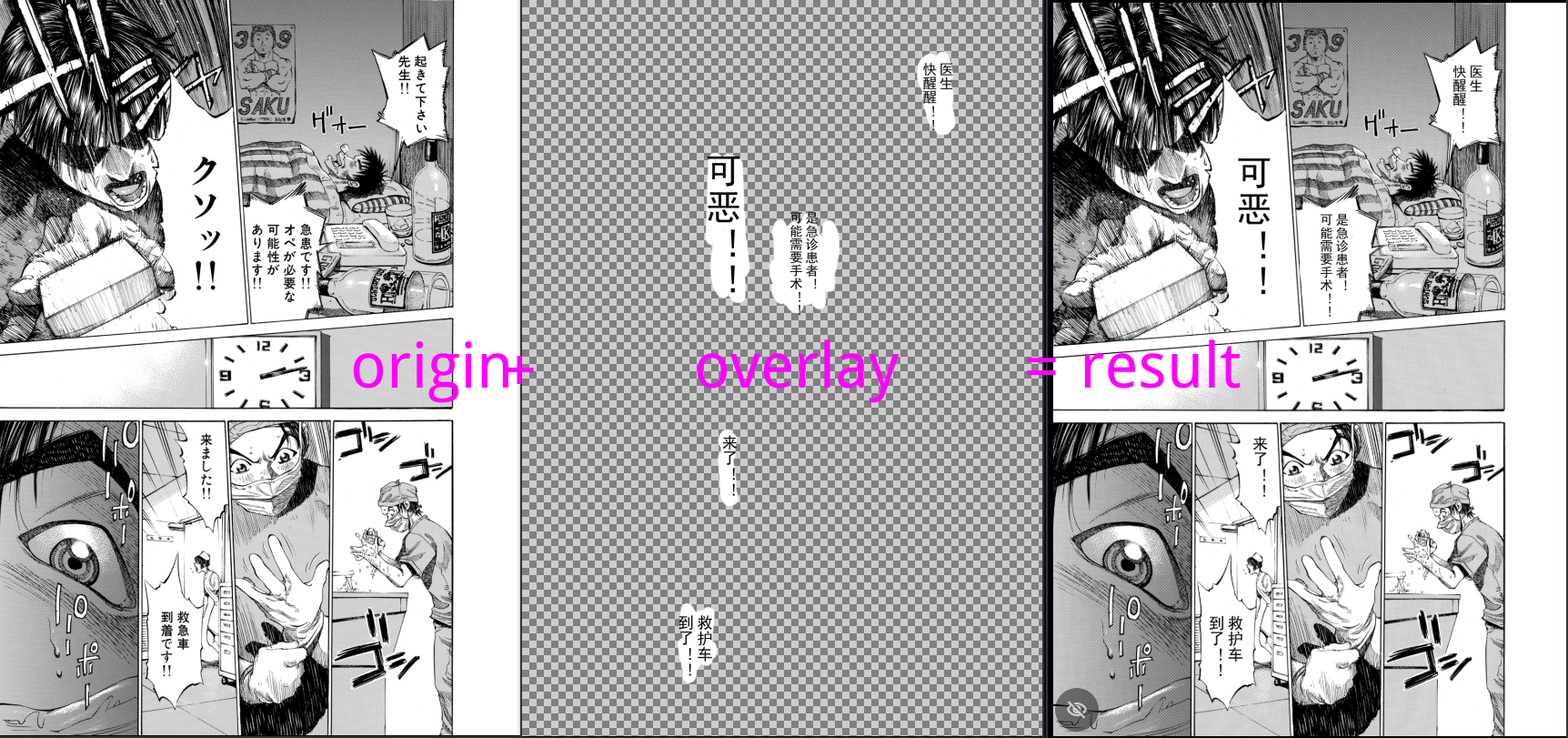
Once imported, an overlay can be used in rendered exports and displayed in the reader.
Common uses include:
- Bring a cleanup or restoration layer back for further work. Create or repair a layer in an external drawing or restoration tool, then import it into Neko Translator and continue lettering there. Neko Translator’s lettering workspace is still in development; stay tuned.
- Read a finished lettering layer as a patch. Import a layer with translated text already lettered in another tool. The reader can display it over the original page, so you do not need to replace the original with a flattened finished image.
Import and manage overlay layers
Section titled “Import and manage overlay layers”The editor has a dedicated Overlay mode for managing layers.
To import a single overlay, create a layer and assign its overlay image on the selected page.
For multiple overlays, use the Import feature, then review and adjust how the incoming pages match the originals.
Each layer can hold one image per page. Importing another image into the same layer and page replaces the existing image. Deleting a layer also removes its associated page images. Make sure external artwork uses the same canvas size and alignment as the original page so that the layers line up when composited.
Use overlays in the reader and exports
Section titled “Use overlays in the reader and exports”The reader menu lists the comic’s overlay layers. You can toggle them for reading; this visibility setting is saved per comic and does not delete the images.
Rendered exports can composite selected overlay layers. Project-package exports can also include overlays, but they are not included by default. See Import and Export Projects and Export Translation Results for export options.